Skip to content
qikfox

qikfox Search

Search the Internet with safety built in

qikfox Search is a web search experience. It finds pages the way you expect a search engine to, and adds safety context to results so you know something about a destination before you open it.

What it is
A web search experience
Where it runs
Any modern browser
Best paired with
qikfox Safe Browser
Price
Free to use
01AI-first Web Search

qikfox Search

Search the Internet with safety built in.

qikfox Search is a web search experience designed so that safety checks happen as part of finding information, not after you have already clicked.
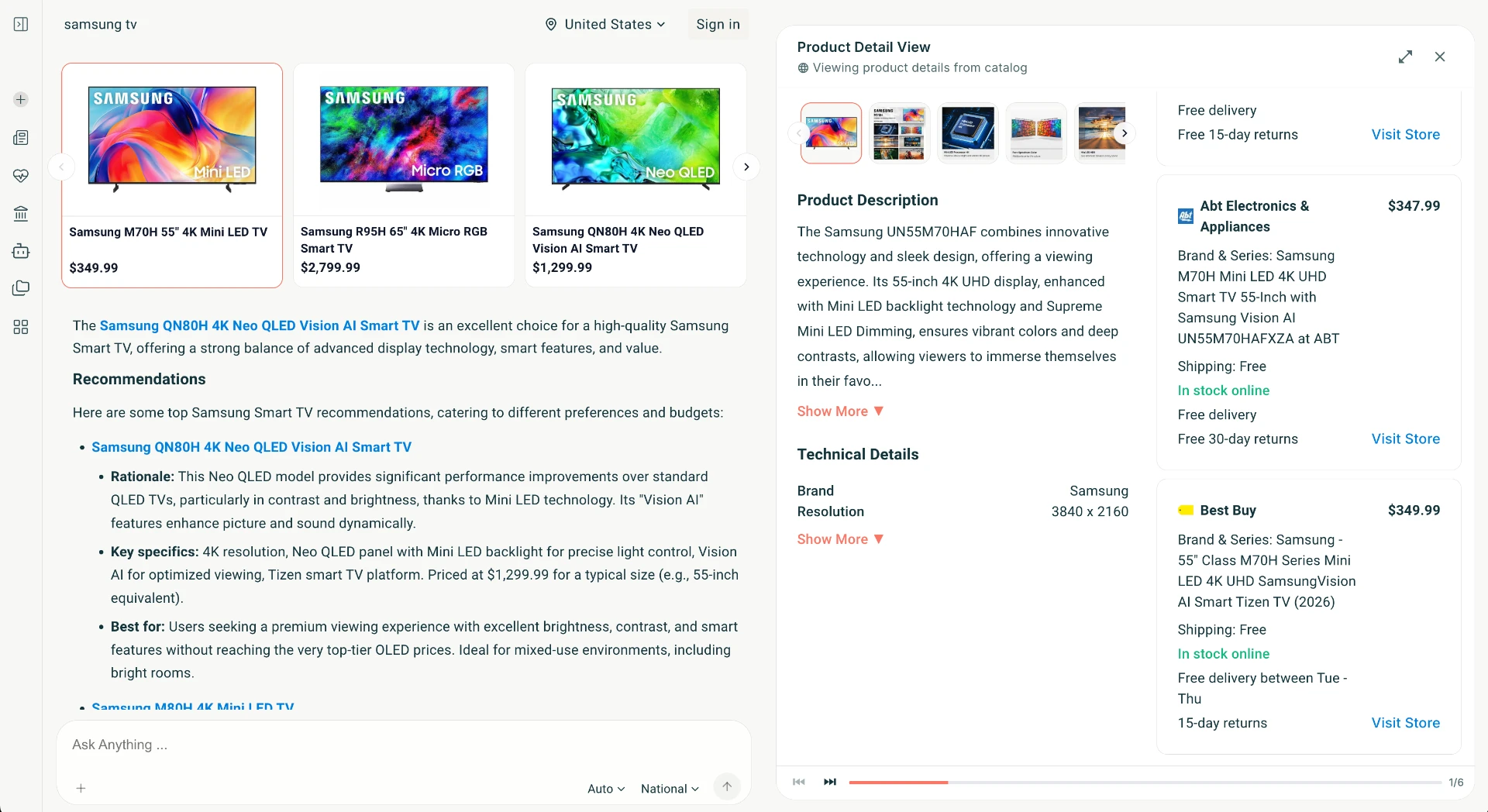
qikfox Search results page showing verified brand product results with prices and store details

What it covers

  • Better relevance with AI-enabled Web Search
  • Filters unsafe Brands and Rogue SEO optimized results
  • Filters annoying Ads and Malvertisements
  • Follow the customer journey with an AI agent primed to keep you safe
  • Designed to work alongside qikfox Safe Browser
Available on
Web

Why it exists

Safety information belongs before the click

Search is the first step of most Internet sessions, which makes it the cheapest place to prevent a problem. A warning after you have already loaded a deceptive page is worth much less than a note beside the result.

That is the single idea behind qikfox Search: keep the results useful, and put what is known about a destination next to it.

On a results page

  • Result

    Title, address and description, as usual

  • Safety context

    What qikfox knows about the destination

  • Open in Safe Browser

    Your protection settings continue to apply

Inside a results page

How a qikfox Search result is qualified

Every link, website and page in a qikfox Search result set is qualified by TRACE, our patent-pending safety framework. Unsafe destinations are removed before you see them, and the remaining results are then refined for relevance.

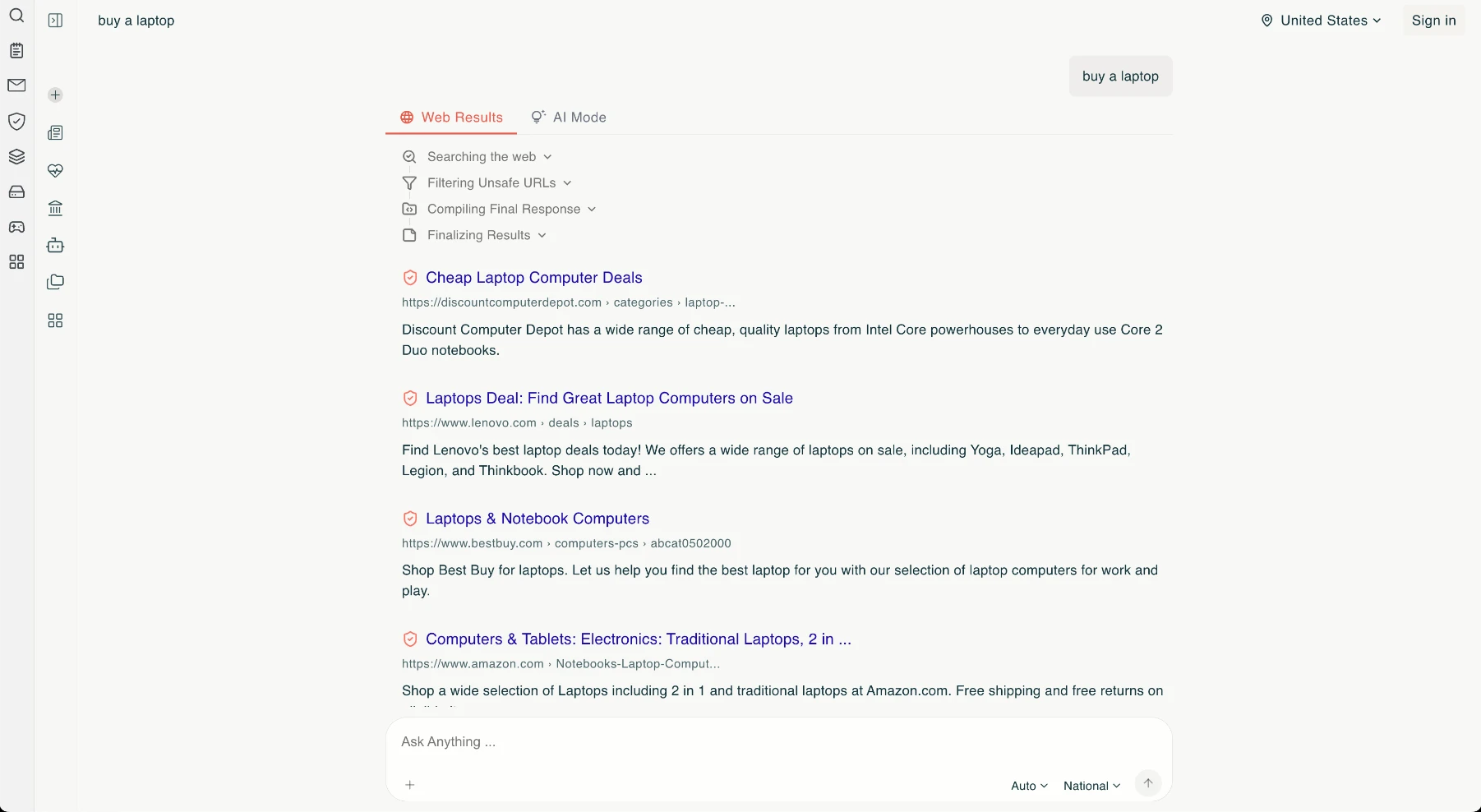
qikfox Search results for the query 'buy a laptop', with safety shields beside each result and the search stages listed above them.
Step 1 - Safe results

Unsafe results are eliminated, not just flagged

qikfox Search runs the query, evaluates each candidate destination with the TRACE framework and drops the ones that fail. What remains is a normal results page - title, address, description - with a safety shield beside each entry, so the list you read has already been cleared.

Web Results view: results that survived TRACE qualification, with safety context on each entry.

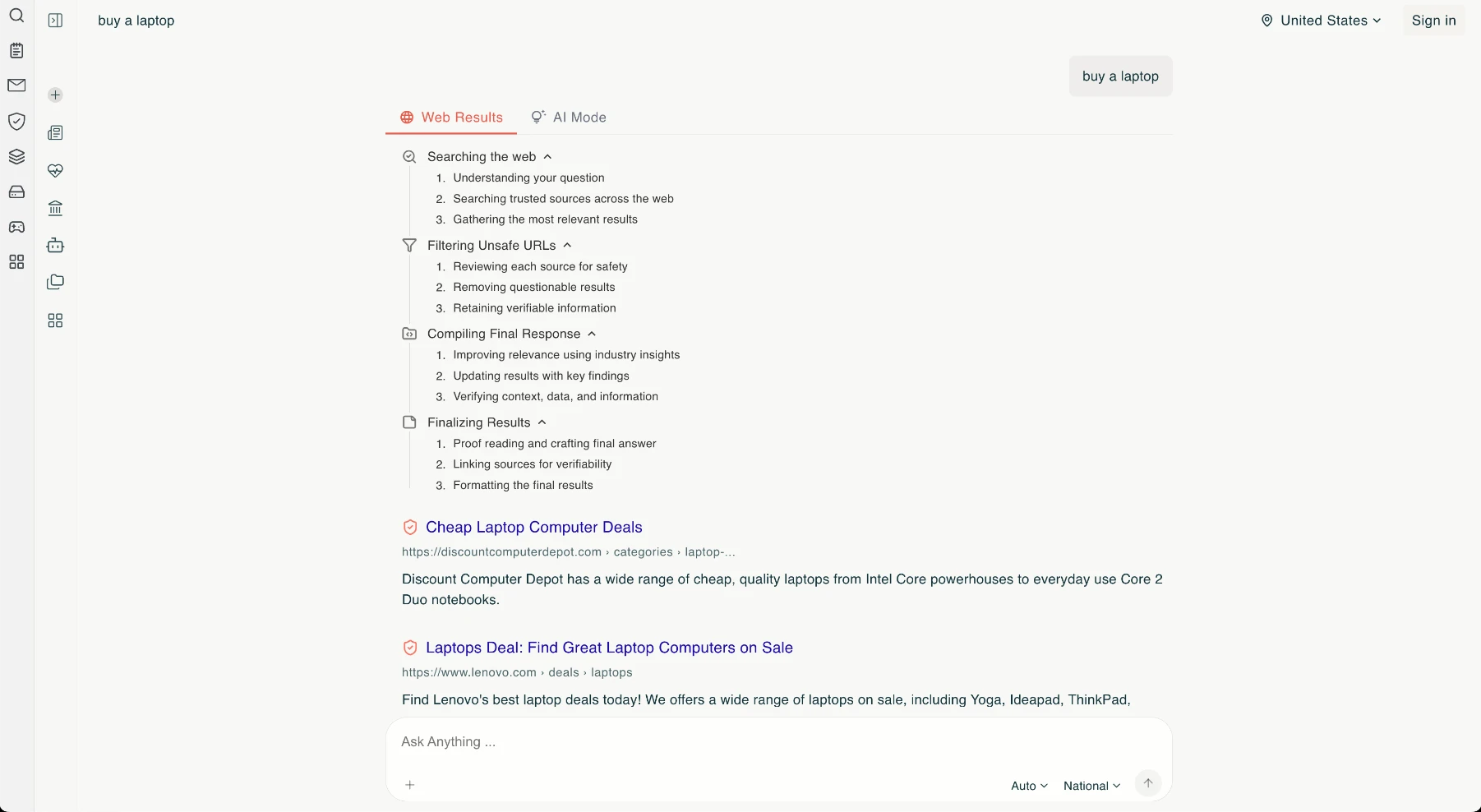
The same qikfox Search results page with each stage expanded, showing the sub-steps for searching the web, filtering unsafe URLs, compiling the response and finalizing results.
Step 2 - Visible reasoning

You can open the reasoning behind the list

Each stage expands to show what happened: understanding the question and searching trusted sources, reviewing every source for safety and removing questionable results, improving relevance and verifying context, then linking sources so any answer can be checked. Nothing about the ranking is hidden behind a black box.

Expanded stages: searching, filtering unsafe URLs, compiling the response and finalizing results.

Key features

Search features focus on clarity - both of the results themselves and of what is known about where they lead.

Safety context on results

Where qikfox has information about a destination, it is shown with the result.

A quiet results page

A readable layout without competing blocks crowding each result.

Works in any browser

qikfox Search runs on the web; you do not need qikfox Safe Browser to use it.

Better together with the browser

In qikfox Safe Browser it is available from the address bar and links open with your protection settings applied.

Region and language settings

Choose the region and language used to rank and present results.

No account required

You can search without signing in.

Privacy

Our approach to search privacy

Search is unusually sensitive because a query often says more about a person than the page they open. Our position is to describe what qikfox Search collects and retains in the privacy documentation, in specific terms, rather than summarising it as a claim.

Read privacy at qikfox and the qikfox privacy policy. We do not describe qikfox Search as anonymous.

Where to read the detail

  • Privacy approach

    The principles we apply across products

  • Privacy policy

    The specific commitments for qikfox Search

  • Transparency

    What we publish about data requests

Ecosystem

How Search relates to qikfox Safe Browser

These are often confused, so it is worth stating plainly: qikfox Search is the search experience, and qikfox Safe Browser is the application you browse in. Each works without the other.

Used together, a result's safety context is followed by the browser's own checks when the page loads, and any file you download can be reviewed by qikfox Antivirus.

Two separate products

  • qikfox Search

    Finds pages. Runs on the web.

  • qikfox Safe Browser

    Opens pages. Installed on your device.

  • Used together

    Search context plus browser protection settings

Comparison

qikfox Search compared with general search engines

This table compares capabilities that are visible in each product's own search experience. It contains no performance claims, detection rates or ranking-quality measurements.

Capabilities as presented by each product's search experience. Source: qikfox product documentation and each provider's public product description.
Capability
qikfox™
GoogleBingDuckDuckGo
Unsafe destinations removed from the result setYes
Every link and page qualified by a safety frameworkYes
Patent-pending TRACE qualificationYes
Safety context shown beside each resultYes
Search stages and reasoning shown on the pageYes
Results refined for relevance after safety filteringYes
No account required to searchYesYes
No personal search profile used to target advertisingYesYes
Paired with a browser that applies the same protectionYesPartialPartialPartial
Paired with antivirus and VPN from the same companyYes

How qikfox Search fits into a safer day

qikfox Search puts safety context next to results, so the judgement about where to go happens before the click rather than after it. Search is where many risky journeys begin - particularly queries combining a brand name with words like login, download, refund or support - which is why context at that moment is disproportionately useful.

Some queries are riskier than others

Searches for a well-known service plus a task word are the ones attackers care about, because the intent is unambiguous and the person is prepared to enter credentials or download a file. Freshly built pages and paid placement can both appear above the organisation being sought.

Context beside the result gives a person something to weigh before committing: whether the destination is the domain they expected, and whether anything is known about it. Nothing is hidden from you by default; the aim is a better-informed click rather than a narrower Internet.

Download searches deserve special care

Looking for an installer is one of the few moments when a person deliberately runs an unknown program with their own privileges. Pages built to intercept that search often deliver the real application plus something extra, so everything appears to work.

The durable habit is to install from the project's own site or an official store, and to read the domain before clicking a large green button. Our guide on how malware arrives through downloads covers the four routes in detail.

What search-level safety does not do

Search context cannot inspect a file, cannot see inside an encrypted connection, and cannot know about a page created minutes earlier. It is one layer among four, and it is deliberately the cheapest one - advice at the point of decision, before anything has been downloaded or typed.

Frequently asked questions

No. qikfox Search finds web pages. qikfox Safe Browser is the separate application you use to open them.

Related qikfox pages

Search safely, then browse safely

qikfox Search works anywhere. Pair it with qikfox Safe Browser so protection continues after you click.

Looking for something else?

For help using qikfox Search, visit the Help Center.